


Kpop Piano Beats - Music Game
4.73.10K Reviews
App Specs
- Version
- 5.10.0
- Updated On
- License
- Free
- Downloads
- 10,000,000+
- Developer
- Sonata Studio: Piano Rhythm
- Categories
- Music
- Platform
- Android, iOS
Screenshots
 Analysis by AppCompare
I went into this game expecting a quick K-pop distraction, and its appeal is exactly that focused: follow the rhythm, tap the tiles, and try to keep a run going as the patterns demand more attention. Kpop Piano Beats - Music Game is a music game from Sonata Studio: Piano Rhythm, and I’d recommend it most to listeners who enjoy turning familiar pop energy into a small test of timing. It is not a piano lesson or a deep music-making tool; the fun comes from reacting to the beat rather than learning to play a song on an instrument.
A small game that fits into spare moments
The basic idea makes it easy to understand without a long learning curve. I can imagine opening it while waiting for a ride or taking a short break: a song gives the moment a bit of structure, and the tapping asks for enough attention to make the pause feel active. That quick-session quality is a real strength for a mobile rhythm game. It also means I wouldn’t treat it as a substitute for listening to a full album; the appeal is the focused challenge of playing along.
The store summary describes a score-based loop, and that gives each attempt a clear purpose: keep time, avoid losing the pattern, and see how well you can do. For a better first session, I’d start somewhere comfortable rather than chasing a high score immediately. Once the beat feels familiar, I’d try a more demanding track or run. That small change of approach can make the rising challenge feel earned instead of abruptly frustrating.
Where the rhythm-game format shines
In my experience, tile-tapping games work best when the player can read the pattern and respond without wrestling with complicated controls. That is the promise of this format: the screen becomes a simple timing surface, while the music supplies the momentum. A short run can be satisfying even if I only have a few minutes, and doing better on a passage gives me a concrete reason to try again.
That simplicity is also a useful point of comparison with other music games. If you want a broad rhythm-game experience built around many genres, instruments, or more involved play systems, a larger music game may suit you better. This one is specifically framed around K-pop piano-style tapping, so its appeal depends on liking that combination. A fan looking for a lightweight way to engage with the genre may prefer its directness; someone who wants to build musical technique should choose a genuine practice app instead.
Things to consider before settling in
The game’s challenge can cut both ways. Faster tile patterns may make a familiar track more exciting, but they can also turn a relaxed listening break into a concentration test. If I’m tired, distracted, or hoping to have music on in the background while doing something else, this is not the best fit: the whole point is paying attention to the timing. The most comfortable use is a deliberate short session, not a hands-free soundtrack.
There is also a difference between enjoying a song and enjoying a game built around it. Tapping along can make music feel interactive, but it does not offer the same experience as simply hearing a favorite track from start to finish. I’d choose this when I want a little challenge attached to the music, and choose a regular music player when I want to relax without watching the screen.
Worth Reading Before You Choose

Baby Panda World Brings Quick Play to Modern Phones, but Its Game Library Feels Busy

ESPN’s Live Game View Makes Following Close Games Easier

QuizzLand Review: A Good Fit for Short Trivia Breaks, Not Every Player

Basketball Stars: Multiplayer Is Fast, but Can It Recover When Matches Go Wrong?

WEBTOON Turns Phone Updates Into a Better Reading Routine

Link to Windows Runs on Shared Habits, Not Social Feeds
Get Ready to Tap Along
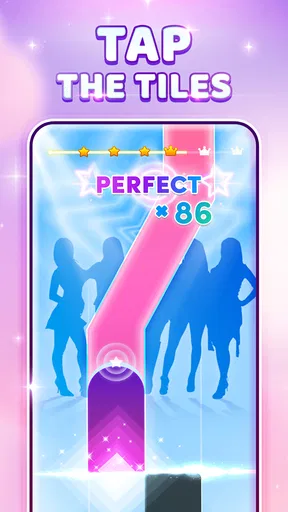
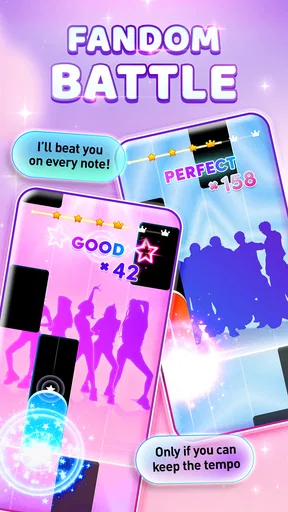
First things first, Kpop Piano Beats - Music Game is all about rhythm. You know those moments when you just can't help but tap your fingers on the table to your favorite K-pop tracks? This app brings that experience to your smartphone. The gameplay is simple yet addictive: tap the tiles in time with the music and keep up with the beat. Sounds easy, right? Well, it’s a bit more challenging than it appears, and trust me, you’ll be hooked in no time.
A Playlist to Die For
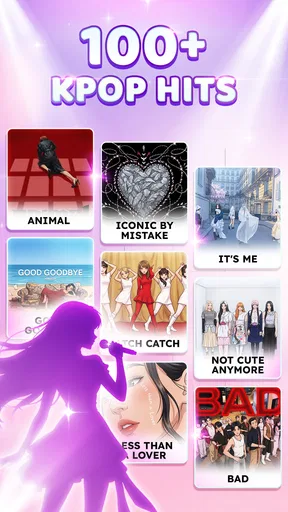
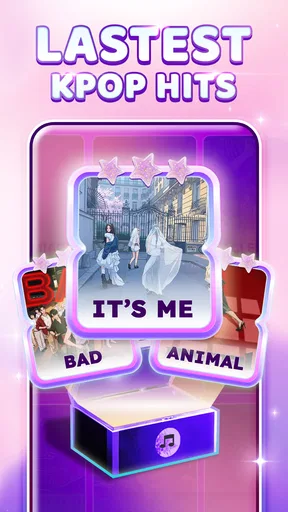
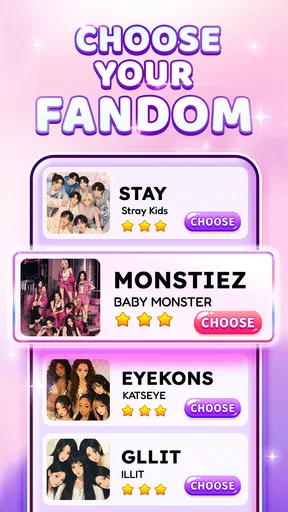
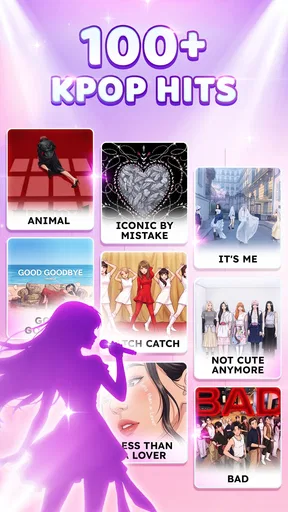
One of the standout features of this app is its killer playlist. We're talking about tracks from some of the hottest K-pop artists out there. Whether you’re into BTS, BLACKPINK, or TWICE, there’s something here for everyone. Plus, the app regularly updates its library, so you’re always in for a fresh musical treat. It’s like having a mini K-pop concert in your pocket.
Level Up Your Skills
As you progress through the game, you’ll notice the difficulty ramping up. The tiles come at you faster, and the patterns get trickier. But that’s part of the fun! It’s a great way to improve your hand-eye coordination and rhythm skills. Plus, there’s a real sense of accomplishment when you finally nail a tough song. Don’t be surprised if you find yourself playing "just one more round" a lot.
Visuals and Sound
Visually, the game is a treat. The graphics are vibrant and engaging, perfectly complementing the energetic vibe of the music. You'll find yourself getting lost in the stunning visuals as you tap away. And let’s not forget the sound quality. The audio is crisp and clear, giving you the full concert experience right from your phone. It’s like having a front-row seat at a K-pop gig, minus the screaming fans.
Personal Touch
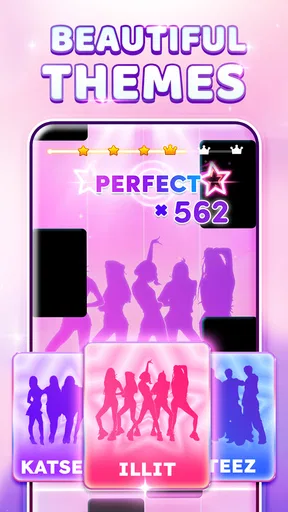
One thing I really appreciate about this app is the ability to customize your experience. You can unlock different themes and backgrounds as you progress, which adds a nice personal touch to the game. It’s always fun to see your gameplay area evolve as you get better and better.
It’s free to play, which makes it easy to try without committing to a purchase, though optional in-app items range from $0.99 to $2.99 each. I’d treat those as extras rather than a reason to start spending: first see whether the tapping loop and song selection hold your interest. The game is rated Everyone 10+, and it has a 4.7 average from around 412,000 ratings, with over 10 million installs. Those figures suggest it has found a sizable audience, but they can’t tell you whether its particular take on rhythm play is your kind of fun.
Practical choices for a better session
A useful way to approach a tile game is to separate learning the rhythm from chasing a score. On an unfamiliar track, pay attention to the musical pulse and the shape of the incoming pattern instead of trying to react to every tile at the last instant. On a track you already know, use that familiarity to anticipate the beat, but don’t assume knowing the song automatically makes the run easy: the game still asks for visual timing and quick responses. This is a small distinction, but it helps explain why a favorite track can be both comforting and demanding.
I’d also make the first few attempts a check of fit, not a test of skill. If the tiles feel hard to follow, give yourself a chance to settle into the pace before deciding the game is too difficult. If you still find the visual tracking stressful, that’s useful information too. A rhythm game should feel engaging, not like a chore, and there’s no need to push through a style of play you don’t enjoy.
Who should play, and who should look elsewhere
This is an easy recommendation for K-pop fans who like short, score-driven challenges and don’t mind keeping their eyes on the screen while music plays. It can also work for someone who is curious about rhythm games but wants a straightforward entry point rather than a complicated control scheme. The developer, Sonata Studio: Piano Rhythm, keeps the game’s identity centered on K-pop piano-style play, which makes that focused audience a better match than players looking for a general-purpose music collection.
I’d steer away if you mainly want a realistic keyboard experience, a structured way to learn songs, or a game where the music is only background to a larger adventure. The tile format is about timing and repetition, not piano fingering or music theory. Likewise, if you prefer slower play or dislike retrying a tricky passage, the ramping challenge may wear thin. A conventional music app is better for uninterrupted listening, while an instrument-learning app is a better choice for practice with musical goals.
What the game does—and doesn’t—make easy
The main strength is how quickly the central action makes sense. The trade-off is that a simple control idea puts more weight on the song choices, the timing feel, and whether you enjoy replaying sections to improve. I wouldn’t judge it only by how quickly I can reach a high score; I’d ask whether the act of following the beat is enjoyable even when a run goes poorly. That is the difference between a game I return to and one that feels like a brief novelty.
It is also worth remembering that rhythm play is less forgiving of everyday interruptions than passive audio. A message, conversation, or glance away can break concentration, so I’d save a challenging attempt for a moment when I can give the screen my attention. For a commute or a waiting room, it can be a nice way to occupy a few minutes if the setting is calm; in a noisy or crowded moment where I can’t focus, a playlist is the more practical choice.
Where it sits among music games
Compared with broad rhythm titles that offer varied musical styles or more elaborate systems, this game makes a narrower promise: K-pop is the draw, and tapping is the main activity. That focus can be a benefit if you already enjoy the genre and want a quick way to interact with its energy. It is a limitation if you expect a wide-ranging catalog, collaborative play, or a deep progression structure. I would pick it for a concise K-pop-themed challenge, not as my only music game.
The piano framing can also set expectations, so it helps to be clear about what you want. The experience may feel piano-like in its tile presentation, but it should not be confused with a keyboard simulator. For casual play, that distinction barely matters; for someone hoping to transfer the controls to a real instrument, it matters a lot. I’d use it to sharpen attention to a beat and enjoy a playful music break, not to measure progress as a pianist.
Cost, version, and a sensible first try
The game is free to download, with optional purchases priced from $0.99 to $2.99 per item. I’d begin with the free experience and only consider an extra if I’m sure it adds something I personally want. That keeps the decision simple: first find out whether the songs, tile patterns, and pace are enough to bring me back. The current version is 5.0.0, and the game works on Android 7.0 or later, which gives older compatible devices a chance to run it.
For a realistic routine, I’d use it as a short reset between tasks: choose a track, make one focused attempt, then decide whether I genuinely want another round. That boundary is helpful because the “one more try” pull can turn a quick break into a longer session. If I’m using it to unwind, I’d stop when the challenge starts feeling irritating rather than rewarding. If I’m in the mood to improve a score, I’d accept that repetition is part of the point.
In conclusion, if you're a K-pop aficionado or just someone who loves a good rhythm game, Kpop Piano Beats - Music Game is definitely worth checking out. It’s fun, challenging, and a great way to enjoy your favorite tunes in a whole new way. So, what are you waiting for? Grab your headphones, download the app, and start tapping away!
Pros
- Engaging rhythm-based gameplay.
- Wide variety of K-pop tracks.
- User-friendly interface.
- Regular updates with new songs.
- Offline mode available.
Cons
- Limited free tracks.
- In-app purchases can be pricey.
- Ads can be intrusive.
- Requires significant storage.
- Occasional lag on older devices.
FAQs for Kpop Piano Beats - Music Game
What is Kpop Piano Beats - Music Game?
Kpop Piano Beats - Music Game is an interactive mobile app designed for music and rhythm game enthusiasts. It allows players to tap along to popular K-pop songs on a virtual piano. The game challenges your timing and rhythm skills with various difficulty levels, catering to both beginners and advanced players.
Is Kpop Piano Beats - Music Game free to play?
Yes, Kpop Piano Beats - Music Game is free to download and play. However, it offers in-app purchases for additional features, song packs, or to remove ads. Players can enjoy a wide selection of songs without spending any money, but purchasing may enhance the overall experience.
What are the system requirements for Kpop Piano Beats - Music Game?
The game is compatible with both Android and iOS devices. For Android, it requires version 5.0 or higher, and for iOS, it needs iOS 10.0 or later. Ensure your device has sufficient storage space and a stable internet connection for downloading and updating song packs.
Can I play Kpop Piano Beats - Music Game offline?
While Kpop Piano Beats - Music Game requires an internet connection to download new songs and updates, it can be played offline once the content is downloaded. This makes it convenient for users who want to play on the go without relying on internet connectivity.
Does Kpop Piano Beats - Music Game feature original K-pop songs?
The game includes a mix of original K-pop songs and piano covers. This ensures a diverse range of tracks that cater to both purists and casual listeners. The selection is regularly updated to include the latest hits, keeping the gameplay fresh and exciting.


